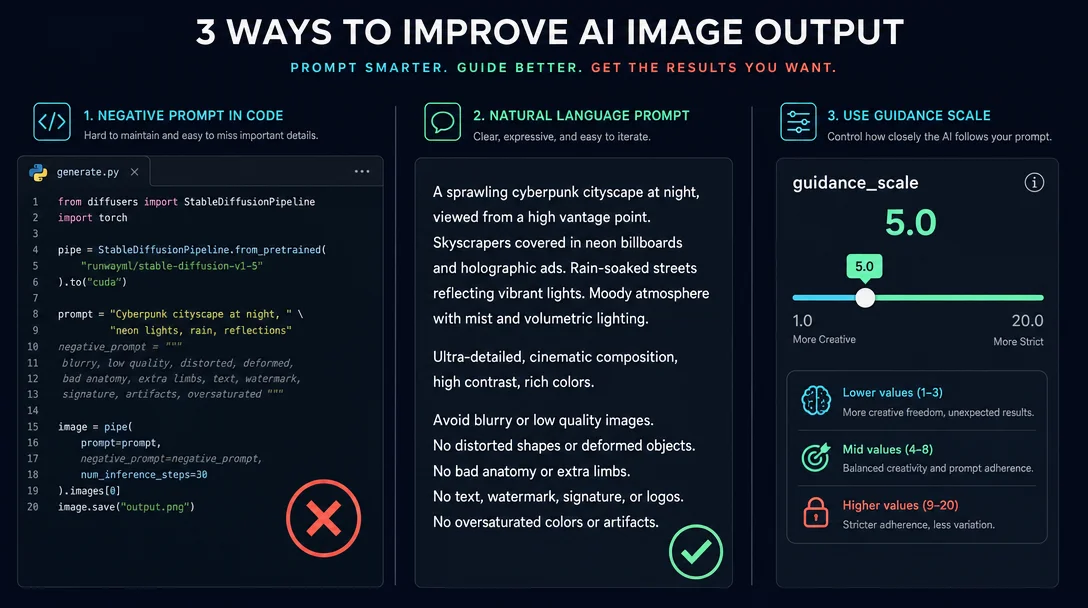
Negative prompts are dead — here’s what actually works in SD3, Flux, and MJ V8.1
SD3/SD3.5 never learned to use negative prompts — passing one injects noise, not filtering. Flux’s entire API family (7 endpoints audited) has no negative_prompt field at all. MJ V8.1 supports --no but multi-prompt :: syntax is unsupported, making ::-1 unavailable. Per-tool replacements: positive reframing + SLG for SD3, guidance_scale tuning for Flux, and tight --no lists for Midjourney.

Negative prompts are dead — here's what actually works in SD3, Flux, and MJ V8.1
Three tools you use every day have quietly stopped responding to negative prompts the way you expect. The fix is different for each — and it's not complicated once you know which knob to turn.
SD3 and SD3.5: stop using negative_prompt entirely
Stable Diffusion 3 and SD3.5 were not trained with negative prompts. 1 Passing a
negative_prompt string doesn't filter out unwanted elements — it injects noise into the conditioning signal, which behaves like switching to a different seed.As fofr at Replicate puts it:
"Your negative prompt will not remove the elements you don't want; instead, it will introduce noise to your conditioning and simply vary your output, kind of like using a different seed."
The ComfyUI team arrived at the same conclusion from their own testing: SD3 performs best when the negative conditioning is zeroed out entirely. 2 The official Diffusers examples for both SD3 Medium and SD3.5 either pass
negative_prompt="" or omit the parameter altogether. 3The replacement strategy: positive reframing. SD3 supports prompts up to 10,000 characters — far beyond SDXL's 77-token CLIP limit — so you have room to describe what you want in full sentences. 1 Here's the translation table:
What you'd have put in negative_prompt | Replace with this in your main prompt |
|---|---|
no bad anatomy, extra limbs | anatomically correct proportions, exactly five fingers on each hand |
no blur, no artifacts | sharp focus, crisp details, clean edges |
no cartoon, no anime | photorealistic, DSLR photograph, raw photo |
no bad face, deformed face | symmetrical features, natural skin texture, beautiful face |
no watermark, no text | clean image, no overlaid text or symbols |
CFG is your secondary lever. SD3 uses rectified flow — CFG behaves differently than in SD1.5/SDXL, acting more as a prompt-adherence dial than a content filter. Keep it low:
- SD3.5 Large: CFG 3.5 (model card recommendation) 4
- SD3.5 Medium: CFG 4.5, 40 steps 5
- SD3 Medium default: 7.0 — if outputs look oversaturated or "burnt," lower to 3.5–4.5
For anatomy specifically — SD3.5 Medium only: enable Skip Layer Guidance (SLG). The SD3.5 Medium model card explicitly recommends it: "We recommend sampling with Skip Layer Guidance for better structure and anatomy coherency." 5 SLG is a ComfyUI technique that skips specific transformer layers during guidance, replacing what negative prompts used to do for
bad anatomy, extra limbs in SDXL. In the official inference script, pass --skip_layer_cfg True. 6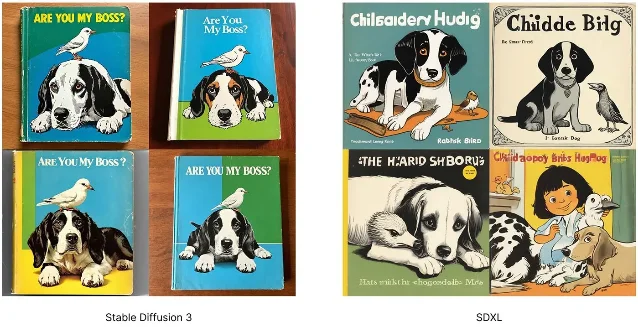
Flux: no negative_prompt field exists anywhere in the API
Every Flux endpoint on fal.ai was audited on 2026-05-28. Result: zero native
negative_prompt fields across all seven active endpoints — Flux.1 [dev], Flux.1 [schnell], Flux Pro v1.1, Flux Pro v1.1 Ultra, Flux 2 Pro, Flux 2 Dev, and Flux 2 Flex. [[cite:7|FLUX.1 [dev] API Docs – fal.ai|[https://fal.ai/models/fal-ai/flux/dev/api]]](https://fal.ai/models/fal-ai/flux/dev/api]]) [[cite:8|FLUX1.1 [pro] ultra API Docs – fal.ai|[https://fal.ai/models/fal-ai/flux-pro/v1.1-ultra/api]]](https://fal.ai/models/fal-ai/flux-pro/v1.1-ultra/api]])One historical fal.ai marketing page for Flux dev mentioned negative prompts in its copy — but the actual API schema has no such field. It was copied from SDXL documentation, not a hidden feature.
Flux.1 uses T5-XXL as its text encoder; Flux.2 uses a Mistral-3 24B VLM. Neither architecture processes prompts as tokenized tags — they read natural language prose. The
(tag:1.2) weight syntax from Stable Diffusion is meaningless here. 7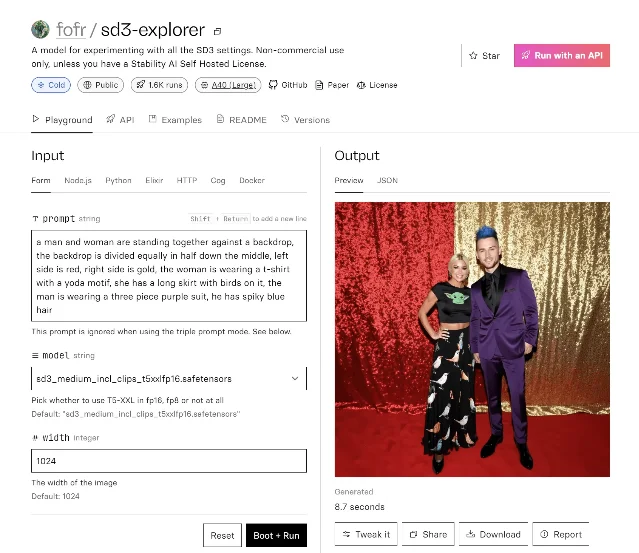
negative_prompt field in sight. 1Your four replacement strategies, by model:
Strategy 1 — Positive description (works on all Flux models).
Write what you want, precisely.
no blur → sharp focus, tack-sharp details. no extra fingers → anatomically correct hands with exactly five fingers. The T5/Mistral encoder understands full sentences — use them.Strategy 2 — Raise
guidance_scale (Flux dev, Flux 2 Dev, Flux 2 Flex only).
Higher guidance_scale makes the model stick more closely to your prompt, which tightens the gap left by the missing negative channel. 8 9| Model | Default guidance_scale | Suggested range to try |
|---|---|---|
| Flux.1 [dev] | 3.5 | 5–7 |
| Flux 2 Dev | 2.5 (range 0–20) | 4–6 |
| Flux 2 Flex | 3.5 (range 1.5–10) | 5–8 |
Strategy 3 —
enable_prompt_expansion (Flux 2 Dev only).
Set enable_prompt_expansion: true. The model automatically expands a short prompt into a richer description, which improves both output quality and adherence. Useful when your prompt is concise and the model keeps adding unwanted elements.Strategy 4 —
enhance_prompt and raw (Flux Pro v1.1 / Ultra only).
Flux Pro v1.1 Ultra has no guidance_scale and no num_inference_steps at all — it's the most locked-down endpoint in the family. Your only real levers are:enhance_prompt: true— server-side prompt enrichment before generationraw: true— "generate less processed, more natural-looking images" [[cite:8|FLUX1.1 [pro] ultra API Docs – fal.ai|[https://fal.ai/models/fal-ai/flux-pro/v1.1-ultra/api]]](https://fal.ai/models/fal-ai/flux-pro/v1.1-ultra/api]])
For Ultra: write the best positive prompt you can, turn on
enhance_prompt, and use raw: true if the model is over-beautifying.MJ V8.1: --no works, ::-1 probably doesn't
The Midjourney situation is genuinely confusing because the official documentation has an internal contradiction. Here's what the evidence actually shows.
--no is confirmed supported in V8.1. The official Version compatibility table shows a ✅ for --no in V8.1. 10 Mechanically, --no red is equivalent to giving red a weight of -0.5 in a multi-prompt. 11Multi-Prompting (
:: syntax) is not supported in V8.1. The same Version page marks Multi-Prompting as ❌ for both V7 and V8.1. The Multi-Prompts documentation explicitly lists supported versions as "1, 2, 3, 4, Niji 4, 5, Niji 5, 6, Niji 6, and 6.1" — V7 and V8.1 are absent. 11 Since ::-1 is part of the multi-prompt syntax, it likely cannot be used in V8.1 at all.Note: third-party guide Blake Crosley marks
--no as also unsupported in V8.1, which directly contradicts the official compatibility table. 12 V8.1 is still in Alpha — treat both the --no status and the ::-1 limitation as subject to change and verify in-session.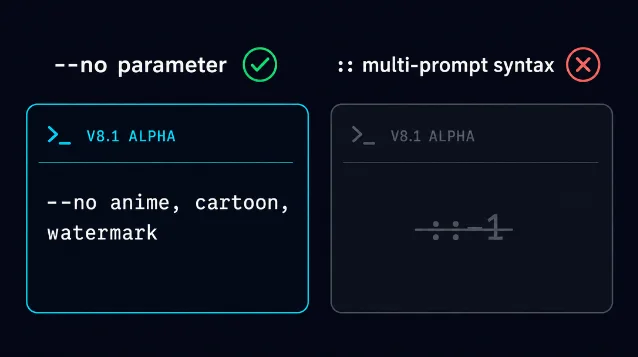
--no is in, :: multi-prompt (and therefore ::-1) is out. AI-generated illustration. Practical
--no strings that hold up in V6/V7 (and likely V8.1) per Blake Crosley: 12# Keep outputs photorealistic
--no anime, cartoon, illustration, painting, drawing
# Remove graphic elements
--no text, watermark, signature, frame, border
# Reduce oversaturation
--no oversaturated, HDR, artificial
# Cinematic realism
--no anime, cartoon, illustration, painting, drawing, sketch, CGI, 3D renderBlake's operational rule: keep the list to 3–5 items, use specific terms, and only list things that have actually appeared in your outputs. Vague entries like
bad or ugly waste slots. The total weight rule still applies — all weights in a prompt must sum to a positive number. still life painting:: fruit::-0.5 works (sum = 0.5); still life painting:: fruit::-2 errors (sum = -1). 11--raw complements --no in V8.1. Raw mode turns off Midjourney's aesthetic auto-pilot, producing less stylized, more photographic output. 13 When you're fighting unwanted stylization, --raw reduces what --no would need to suppress.Cross-tool cheat sheet
| Tool / Model | negative_prompt field? | Primary alternative | Secondary lever | Copy-paste note |
|---|---|---|---|---|
| SD3 Medium | ❌ adds noise | Positive reframe in main prompt | CFG 3.5–4.5 | 28 steps, dpmpp_2m + sgm_uniform |
| SD3.5 Large | ❌ adds noise | Positive reframe in main prompt | CFG 3.5 | Omit negative_prompt entirely |
| SD3.5 Medium | ❌ adds noise | Positive reframe + SLG | CFG 4.5, 40 steps | --skip_layer_cfg True in CLI |
| Flux.1 [dev] | ❌ no field | Positive description | guidance_scale 5–7 | Default 3.5; raise to tighten adherence |
| Flux.1 [schnell] | ❌ no field | Positive description | None (1–4 steps only) | Speed model; limited steering |
| Flux Pro v1.1 | ❌ no field | Positive description | enhance_prompt: true | No guidance_scale in base t2i |
| Flux Pro v1.1 Ultra | ❌ no field | Positive description | raw: true | No guidance_scale at all |
| Flux 2 Dev | ❌ no field | Positive description | guidance_scale 4–6 | Default 2.5; enable_prompt_expansion available |
| Flux 2 Flex | ❌ no field | Positive description | guidance_scale 5–8 | Default 3.5; range 1.5–10 |
| MJ V8.1 | --no ✅ (Alpha) | --no [terms] | --raw (reduces stylization) | :: multi-prompt ❌ in V8.1; keep --no list to 3–5 items |
The pattern is consistent across all three ecosystems: describe the image you want, not the image you're avoiding. SD3 gives you sentence length to work with. Flux gives you guidance_scale to amplify adherence. Midjourney gives you
--no for direct exclusion with a tight list. Use the right lever for the tool — and stop putting negative strings into fields that were never trained to read them.Cover image: AI-generated illustration
참고 출처
- 1How to get the best results from Stable Diffusion 3 – Replicate
- 2Old SD3 Medium Examples – ComfyUI
- 3Stable Diffusion 3 – Hugging Face Diffusers
- 4stabilityai/stable-diffusion-3.5-large – Hugging Face
- 5stabilityai/stable-diffusion-3.5-medium – Hugging Face
- 6Stability-AI/sd3.5 – GitHub
- 7FLUX.2 – Black Forest Labs
- 8Flux 2 Flex API Docs – fal.ai
- 9Flux 2 Dev API Docs – fal.ai
- 10Version – Midjourney
- 11Multi-Prompts & Weights – Midjourney
- 12Midjourney V8.1 + V7 Reference – Blake Crosley
- 13Raw – Midjourney
이 콘텐츠를 둘러싼 관점이나 맥락을 계속 보강해 보세요.